Beginner guide
How to Write Better AI Prompts: 7 Simple Tricks
A "prompt" is simply what you type to an AI chatbot. Most bad answers come from short, vague prompts. These seven tricks work in ChatGPT, Gemini, Copilot and Claude, and none of them needs any technical skill.
The one-line version: tell the AI who it is for, what you want, and how the answer should look. Everything below is a way of doing that better.
1. Give context
The AI does not know who you are or why you are asking. Two extra sentences change everything.
We tested both prompts in ChatGPT. The difference is easy to see:
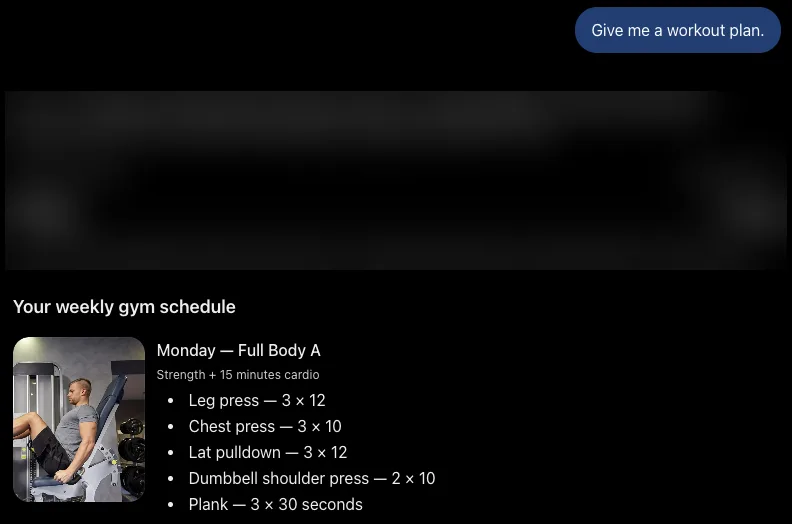
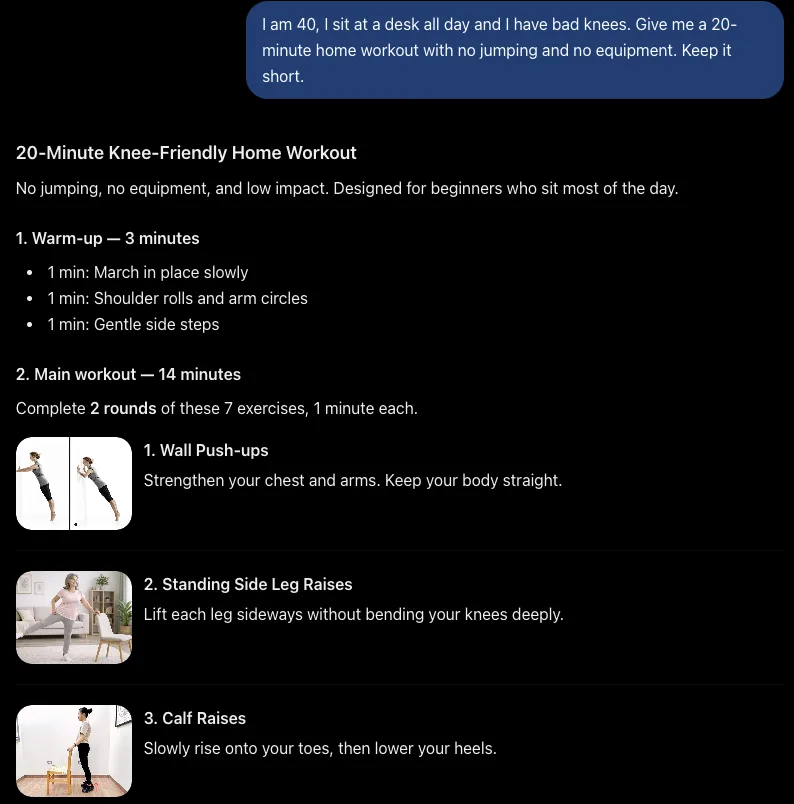
Good to know: ChatGPT can remember things from your earlier chats ("memory"). That is why our weak prompt got a plan based on old details. You can turn memory off or use a temporary chat in the settings.
2. Say the format you want
Tell it exactly how the answer should look: a list, a table, an email, three short options.
3. Give it a role
Starting with "Act as..." points the AI toward the right tone and knowledge.
4. Show an example
If you want a certain style, paste a short example and say "like this".
5. Set limits
Limits stop long, rambling answers. Use words, numbers or reading level.
- "Keep it short." or "Under 100 words."
- "Explain it like I am 12."
- "Give me 3 options, no more."
- "Do not invent facts or numbers."
We used "Keep it short" in all our tests, for example in our comparison of four free chatbots, and it worked in every one.
6. Ask it to ask you questions
When you are not sure what details matter, let the AI interview you first.
7. Improve the answer step by step
The first answer is a draft. Reply in the same chat to shape it:
| If the answer is... | Reply with |
|---|---|
| Too long | "Shorter, please. Keep only the main points." |
| Too formal | "Make it sound more friendly and casual." |
| Too general | "Give me specific examples for my situation." |
| Not quite right | "Good, but change the second part to..." |
| Full of claims | "Which of these facts should I double-check?" |
A copy-and-paste template
Fill in the brackets and you will get a good answer most of the time:
What not to put in a prompt
Never paste passwords, bank or card numbers, ID numbers or other people's private details. And remember that even a perfect prompt can get a wrong answer, so check what matters.
Try it now: take a question you asked an AI last week, rewrite it with tricks 1, 2 and 5, and compare the answers. New to chatbots? Start with ChatGPT for beginners.
Get one AI tip every week
Short, practical, free.
One short email a week. You will get a confirmation email first. Unsubscribe any time. Privacy.